1
2
3
4
5
6
7
8
9
10
11
12
13
14
15
16
17
18
19
20
21
22
23
24
25
26
27
28
29
30
31
32
33
34
35
36
37
38
39
40
41
42
43
44
45
46
47
48
49
50
51
52
53
54
55
56
57
58
59
60
61
62
63
64
65
66
67
68
69
70
71
72
73
74
75
76
77
78
79
80
81
82
83
84
85
86
87
88
89
90
91
92
93
94
95
96
97
98
99
100
101
102
103
104
105
106
107
108
109
110
111
112
113
114
115
116
117
118
119
120
121
122
123
124
125
126
127
128
129
130
131
132
133
134
135
136
137
138
139
140
<img src="https://i.imgur.com/HxwBAK2.png" align="right" />
# Godot Touch Input Manager
Godot Touch Input Manager is a script to handle touch input. You just need to autoload the script and it will start analyzing the touch input and when a gesture is detected a Custom Input Event corresponding to the detected gesture will be created and fed up to the Godot built in Input Event system so it triggers functions like [`_input(InputEvent event)`](https://docs.godotengine.org/en/3.1/classes/class_node.html#class-node-method-input). There is also a signal for each gesture if you prefer using signals to the aforementioned.
This asset was ported to be added to Godot and is now a milestone to version 4.0, PR: [https://github.com/godotengine/godot/pull/36953](https://github.com/godotengine/godot/pull/36953).
## How to use
* Dowload the latest release from https://github.com/Federico-Ciuffardi/Godot-Touch-Input-Manager/releases
* Extract the downloaded *.zip* file somewhere in you project
* Locate the extracted `InputManager.gd`, and [Autoload](https://docs.godotengine.org/en/3.1/getting_started/step_by_step/singletons_autoload.html) it.
* Done! Now you can use the GodotTouchInputManager's [signals](#supported-gestures-and-its-signals) and it's [Custom Input Events](#custom-input-events).
## Examples
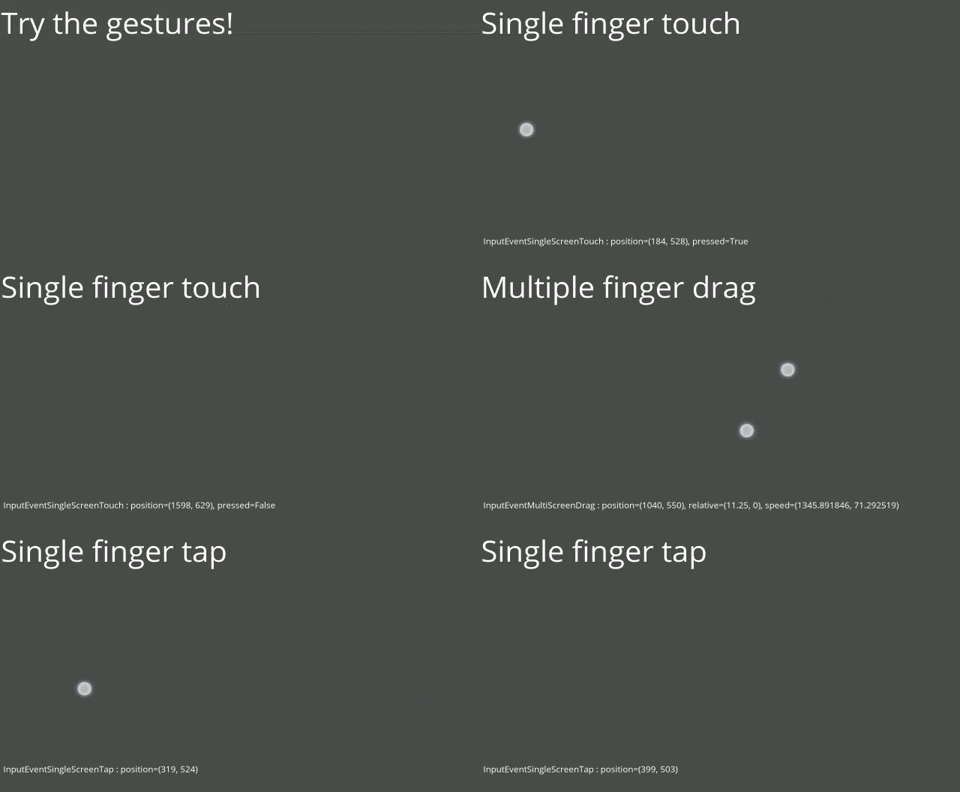
### [GodotTouchInputManager-Demo](https://github.com/Federico-Ciuffardi/GodotTouchInputManager-Demo)
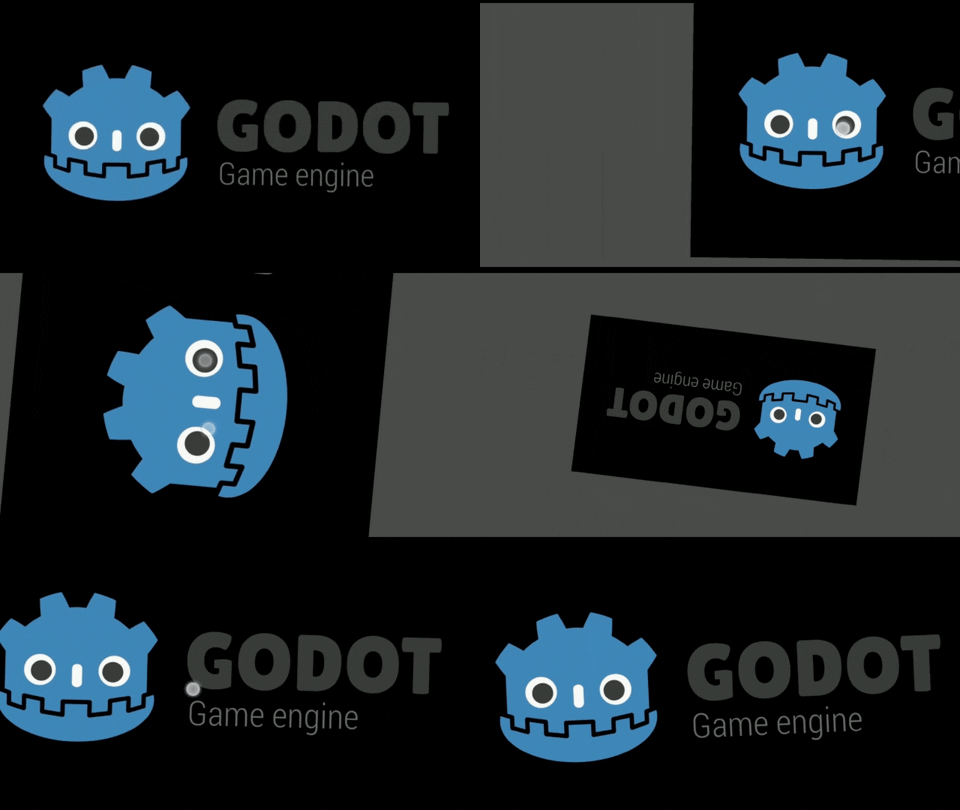
### [GestureControlledCamera2D](https://github.com/Federico-Ciuffardi/GestureControlledCamera2D)
## Documentation
### Supported gestures and it's signals
| Name | Signal | Args |
|---------------------------|--------------|------------------------------------------------------------|
| Single finger tap | single_tap | [InputEventSingleScreenTap](#inputeventsinglescreentap) |
| Single finger touch | single_touch | [InputEventSingleScreenTouch](#inputeventsinglescreentouch)|
| Single finger drag | single_drag | [InputEventSingleScreenDrag](#inputeventsinglescreendrag) |
| Pinch | pinch | [InputEventScreenPinch](#inputeventscreenpinch) |
| Multiple finger drag | multi_drag | [InputEventMultiScreenDrag](#inputeventmultiscreendrag)|
| Twist | twist | [InputEventScreenTwist](#inputeventscreentwist) |
| any gesture | any_gesture | signal_name, InputEvent |
### Custom Input Events
The purpose of these is to provide a InputEvent for the inputs that are not considered by the built-in InputsEvents.
When a gesture is detected [`_input(InputEvent event)`](https://docs.godotengine.org/en/3.1/classes/class_node.html#class-node-method-input) will be called with the input event associated to the detected gesture as the `event` parameter.
#### InputEventScreenPinch
* [Vector2](https://docs.godotengine.org/en/3.1/classes/class_vector2.html#class-vector2) **position**
Pinch center position.
* [float](https://docs.godotengine.org/en/3.1/classes/class_float.html) **distance**
Distance of the pinch.
* [float](https://docs.godotengine.org/en/3.1/classes/class_float.html) **relative**
Relative distance variation of the pinch.
* [float](https://docs.godotengine.org/en/3.1/classes/class_float.html) **speed**
Pinch speed (Average speed length of all the Drags involved).
#### InputEventSingleScreenDrag
* [Vector2](https://docs.godotengine.org/en/3.1/classes/class_vector2.html#class-vector2) **position**
SingleScreenDrag position.
* [Vector2](https://docs.godotengine.org/en/3.1/classes/class_vector2.html#class-vector2) **relative**
SingleScreenDrag position relative to its previous position.
* [Vector2](https://docs.godotengine.org/en/3.1/classes/class_vector2.html#class-vector2) **speed**
SingleScreenDrag speed.
#### InputEventMultiScreenDrag
* [Vector2](https://docs.godotengine.org/en/3.1/classes/class_vector2.html#class-vector2) **position**
MultiScreenDrag position (Average position of all the Drags involved).
* [Vector2](https://docs.godotengine.org/en/3.1/classes/class_vector2.html#class-vector2) **relative**
MultiScreenDrag position relative to its previous position (Average relative of all the Drags involved).
* [Vector2](https://docs.godotengine.org/en/3.1/classes/class_vector2.html#class-vector2) **speed**
MultiScreenDrag speed (Average speed of all the Drags involved).
#### InputEventScreenTwist
* [Vector2](https://docs.godotengine.org/en/3.1/classes/class_vector2.html#class-vector2) **position**
Twist center position.
* [float](https://docs.godotengine.org/en/3.1/classes/class_float.html) **relative**
Twist relative angle.
* [float](https://docs.godotengine.org/en/3.1/classes/class_float.html) **speed**
Twist speed (Average speed length of all the Drags involved).
#### InputEventSingleScreenTap
* [Vector2](https://docs.godotengine.org/en/3.1/classes/class_vector2.html#class-vector2) **position**
Tap position.
#### InputEventSingleScreenTouch
* [Vector2](https://docs.godotengine.org/en/3.1/classes/class_vector2.html#class-vector2) **position**
SingleScreenTouch position.
* [boolean](https://docs.godotengine.org/en/3.0/classes/class_bool.html) **pressed**
If `true` the touch is starting. If `false` the touch is ending.
### Mouse to gesture
To enable single finger gestures go to **Project > Project Settings > Input Devices > Pointing** and turn on *Emulate Touch From Mouse* to emulate a single finger press with the left click. For the other gestures
| Gesture | Mouse action |
|---------------------------|---------------------------------------------------|
| Pinch outward | Scroll up |
| Pinch inward | Scroll down |
| Multiple finger drag | Middle click |
## Versioning
Using [SemVer](http://semver.org/) for versioning. For the versions available, see the [releases](https://github.com/Federico-Ciuffardi/IOSU/releases)
## Authors
* Federico Ciuffardi
Feel free to append yourself here if you've made contributions.
## Note
Thank you for checking out this repository, you can send all your questions and feedback to Federico.Ciuffardi@outlook.com.
If you are up to contribute on some way please contact me :)